Birthday Party Photo Sharing Made Easy

Finally get ALL the photos from the birthday party. Display a QR code, guests scan and share—no app downloads, no account creation, no friction.

Create Your Birthday Hub

Scan → Snap → Share!

It really is that simple

The Birthday Party Photo Problem (Solved)

Every birthday party ends the same way: dozens of guests took amazing photos, but you'll probably never see most of them. They're scattered across everyone's phones, promised in text messages that never arrive.

No App Required

Guests scan the QR code with their camera—works on any smartphone without downloading anything.

Instant Sharing

Photos appear in the gallery immediately. Everyone can browse and enjoy throughout the party.

Easy Download

After the party, download all photos as a single ZIP file. No more chasing guests for pictures.

How Birthday Photo Sharing Works

1

Create Your Birthday Hub

Sign up free and create a hub for the birthday celebration. Takes under 2 minutes.

2

Display the QR Code

Print the QR code and display it at the party—on tables, near the cake, by the entrance.

3

Guests Scan & Share

Guests scan with their phone, see the gallery, and upload their photos instantly.

4

Download Everything

After the party, download all photos. Everyone's memories in one place.
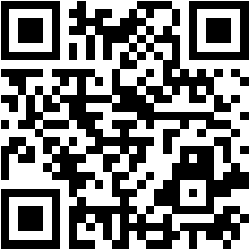
Birthday Party QR Code

Try scanning this demo QR code!

Perfect For Every Birthday

Kids' Parties

Parents capture the chaos and fun—share it all in one place.

Milestone Birthdays

30th, 40th, 50th—collect memories from every guest.

Surprise Parties

Capture the surprise moment from multiple angles.

Office Birthdays

Coworker celebrations with easy photo sharing.

Frequently Asked Questions

How do I collect photos from birthday party guests?

Create a free HelloAbout hub for your birthday party and display the QR code at the event. Guests scan with their phone camera—no app download required—and can instantly view and upload photos to the shared gallery. After the party, download all photos in one click.

What is the best app for birthday party photo sharing?

HelloAbout provides birthday party photo sharing without requiring any app download. Guests simply scan a QR code to access the photo gallery through their web browser. This eliminates the friction of asking guests to install an app, resulting in more photos collected.

Do guests need to create an account to share birthday photos?

No. HelloAbout requires no account creation or login for guests. They simply scan the QR code and can immediately upload photos. This frictionless experience means you'll collect far more photos than traditional methods.

Can I use birthday party photo sharing for kids' parties?

Absolutely! HelloAbout works great for kids' birthday parties. Parents and adult guests can scan the QR code to share photos of the celebration, games, and cake. The birthday child's family gets all the photos in one organized gallery.

How do I download all birthday party photos?

HelloAbout lets you download all uploaded photos as a single ZIP file. After the party, simply click the download button and you'll have everyone's photos saved to your device—ready for printing, sharing, or creating a photo book.

Is the birthday photo gallery private?

Yes. Your birthday party hub is unlisted by default—only people with the QR code or direct link can access it. Your photos won't appear in search results or be discoverable by strangers.

Ready to Capture Every Birthday Moment?

Create your free birthday party hub in under 2 minutes. No credit card required.

Create Free Birthday Hub